



WEOM
Built into your platform.
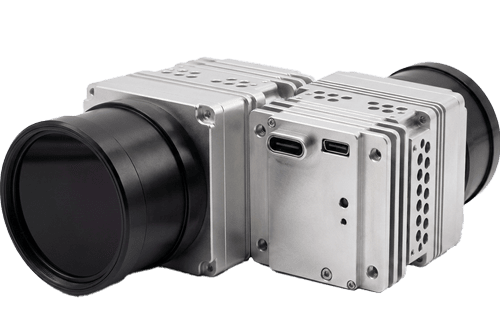
WEOM is an uncooled LWIR thermal imaging camera core developed and manufactured by Workswell in Europe. It is designed for manufacturers and integrators who need to incorporate thermal imaging into their own unmanned aerial or ground vehicle.
The module combines a 640 × 480 px detector with FPGA image processing. A choice of fixed-focus lenses, video interfaces and software tools lets you configure the thermal imaging component for your integration. WEOM is an OEM core for incorporation into your system.

See the image.
Explore the lenses.
Watch WEOM recordings captured with 19 mm, 35 mm and 50 mm lenses. The three videos show thermal imagery from the module with different optical configurations.
Recorded during an army training exercise. These recordings do not show a real conflict.

A thermal imaging core.
For the system you build.
WEOM provides the thermal detector, image processing and interface options for integration into your own imaging system. For UAV and UGV manufacturers, this means selecting the thermal module configuration around the platform’s optical, mechanical and electrical requirements.
The detector operates in the 8–14 μm long-wave infrared band and delivers a resolution of 640 × 480 pixels. Frame-rate options are 9, 30 and 60 Hz, with NETD options below 25, 30 or 50 mK. The selected configuration should be specified as part of the integration.
Fixed-focus lenses cover focal lengths from 7 to 100 mm. WEOM can also be supplied without a lens, with an M25 or M34 lens holder. Mechanical drawings and the datasheet provide the information needed to plan the installation.
Select the optical configuration.
Choose from the fixed-focus lenses listed in the datasheet or specify lens-less delivery. The document includes focal lengths, fields of view and lens-holder options, allowing the optics to be considered alongside the rest of your imaging system.
Choose the system interface.
The WEOM platform supports CMOS and exchangeable interface options including HDMI, CVBS, USB-C, GigE and Smart Ethernet. Video output, power and control connections depend on the selected version; these are described separately in the datasheet.
Configure and control the module.
WEOM GUI and SDK libraries provide tools for configuration and integration. The platform also includes REST API and ROS1 / ROS2 support, with available functionality depending on the selected interface configuration.
From detector output
to a configured thermal image.
Adjust how the scene is displayed.
WEOM uses FPGA processing with automatic and manual gain control. Automatic gain control uses plateau histogram equalization, while manual control provides brightness and contrast adjustment.
Spatial and temporal filters provide further image processing options. Image orientation can be changed using vertical flip and horizontal mirror functions.
- FPGA image processing
- Automatic and manual gain control
- Spatial and temporal filtering
Set up the image with WEOM GUI.
The desktop WEOM GUI provides access to module settings and the user dead pixel correction wizard. WEOM also includes an integrated shutter for non-uniformity correction and factory calibration for temperature drift compensation.
A total of 14 image palettes is available, including two that can be defined by the user.
- Desktop WEOM GUI
- User dead pixel correction wizard
- 14 image palettes
Plan around the actual configuration.
The CMOS version measures 40.1 × 37.8 × 42.6 mm without a lens. The specified weight is below 65 g without the lens or plugin, so the selected optics and interface must be considered when planning the complete installation.
WEOM has an aluminium housing and a start-up time below five seconds. The datasheet specifies an operating range of −32 °C to +70 °C and IP67 protection at the front of the lens.
- Aluminium housing
- Start-up below 5 seconds
- Configuration-specific mechanical requirements
Explore the module.
From every angle.
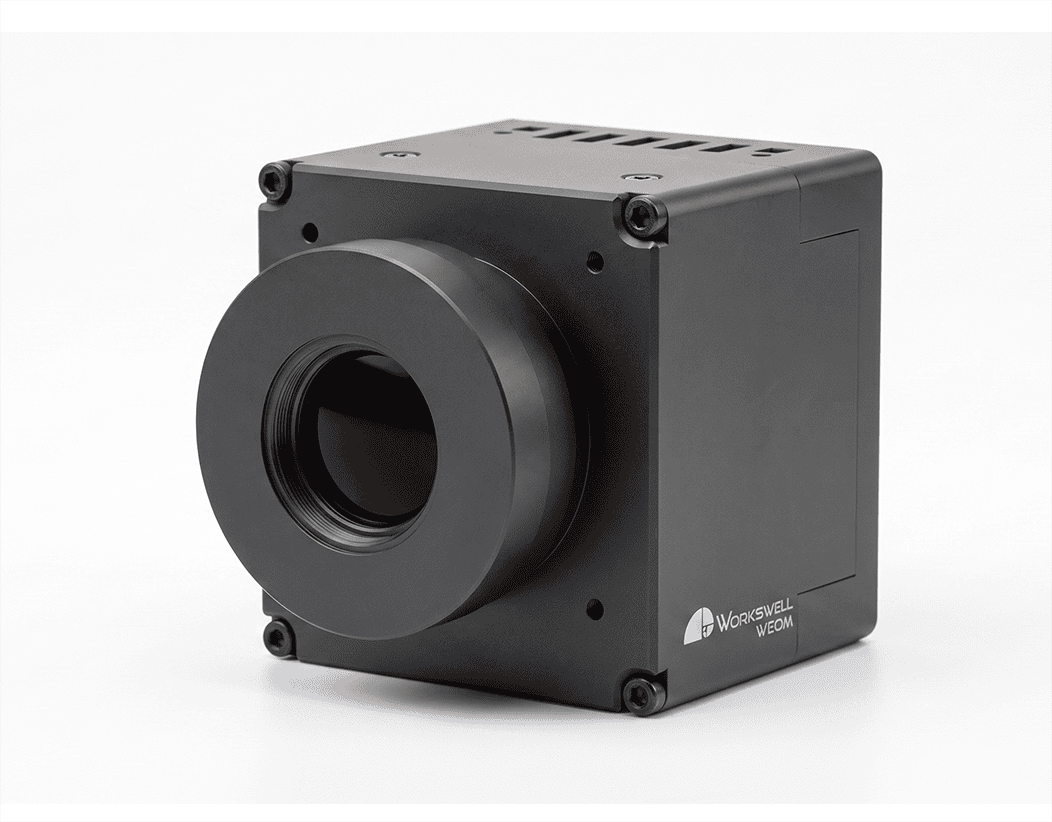
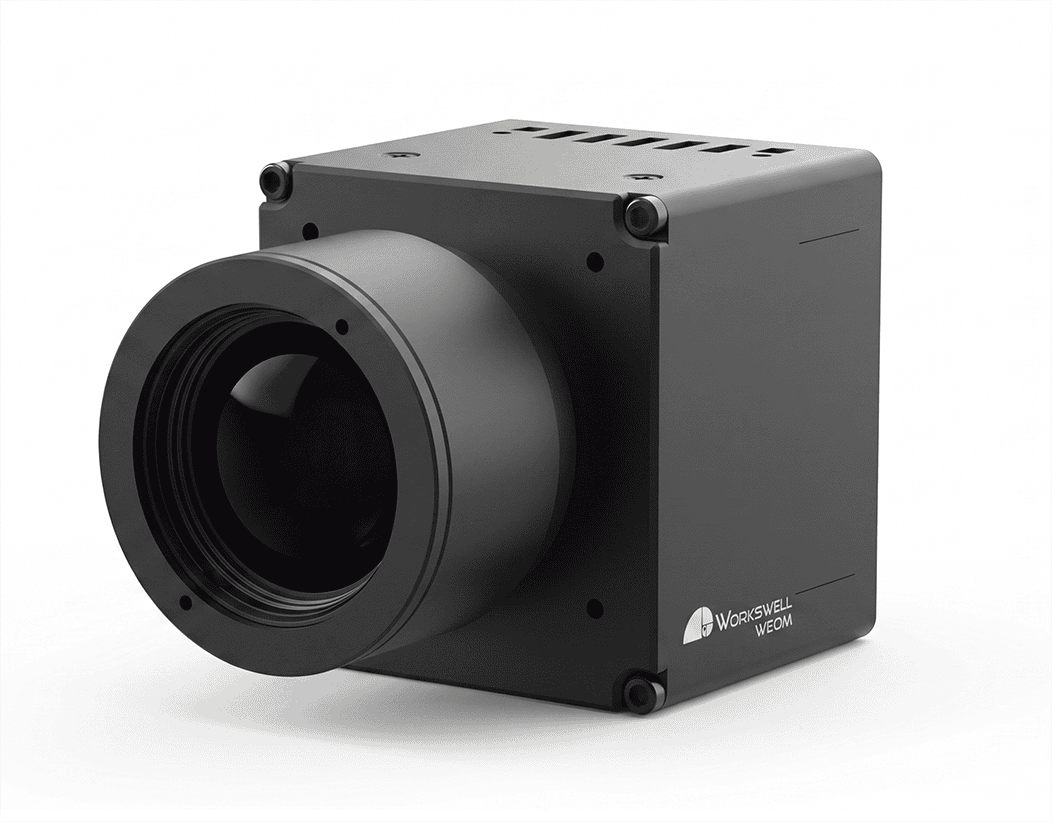
Take a closer look at the WEOM module. Select a photograph to enlarge it. For mounting dimensions, use the mechanical drawings.
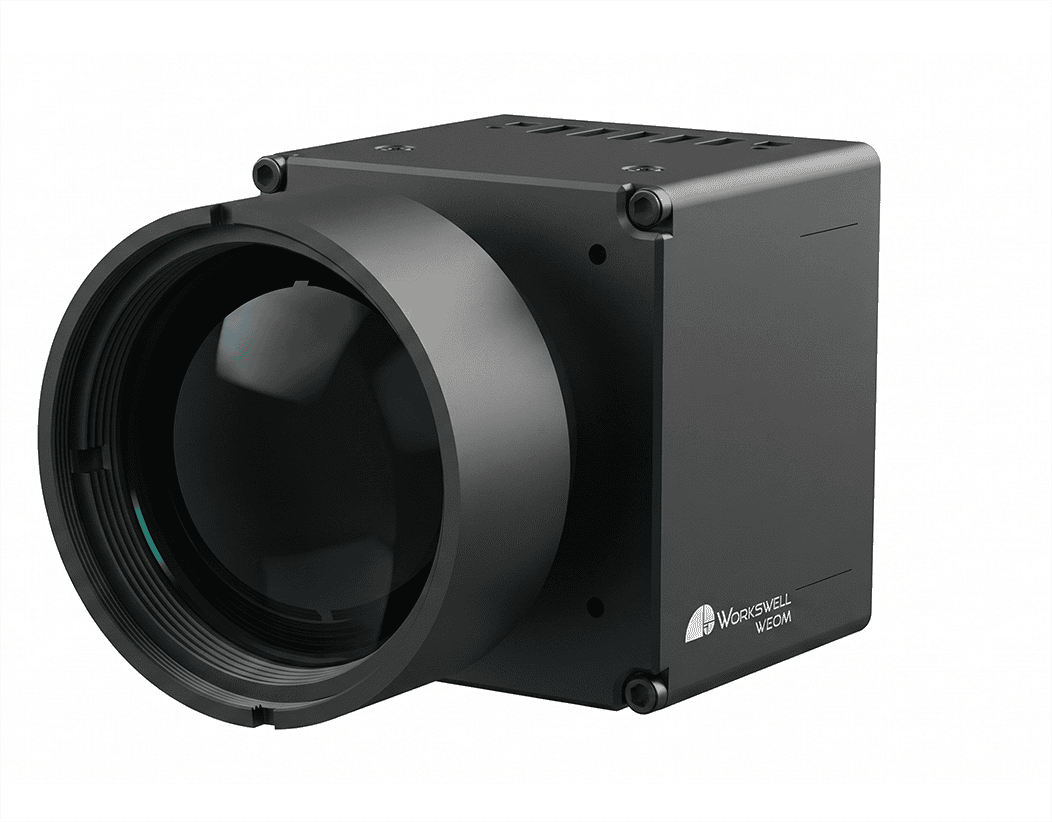

WEOM.
In detail.
Selected specifications from the WEOM datasheet, version 260712. Refer to the full document for interface configurations, lens options and integration requirements.
Dimensions, weight, connections and power requirements should be checked for the selected module configuration. The weight shown here excludes the lens and plugin.
Detector & optics
| Detector | Uncooled LWIR microbolometer |
|---|---|
| Resolution | 640 × 480 px |
| Pixel pitch | 17 μm |
| Spectral band | 8–14 μm |
| NETD options | <25 / <30 / <50 mK |
| Frame-rate options | 9 / 30 / 60 Hz |
| Fixed-focus lenses | 7–100 mm |
| Lens-less delivery | M25 or M34 lens holder |
Processing & control
| Image processing | FPGA |
|---|---|
| Gain control | Automatic / manual — AGC / MGC |
| Image filtering | Spatial / temporal |
| Image orientation | Vertical flip / horizontal mirror |
| Image palettes | 14 total, including 2 user-definable |
| Configuration tools | WEOM GUI and SDK libraries |
| Dead pixel correction | User correction wizard in WEOM GUI |
| ROS support | ROS1 / ROS2 |
| Start-up time | <5 seconds |
Mechanical & environmental
| CMOS dimensions, without lens | 40.1 H × 37.8 W × 42.6 L mm |
|---|---|
| Weight, without lens / plugin | <65 g |
| Housing | Aluminium |
| Protection at front of lens | IP67 |
| Operating temperature | −32 °C to +70 °C |
| Storage temperature | −50 °C to +90 °C |
| Compliance | RoHS / REACH / WEEE / CE |
Documents & support.
My.Workswell
Access product information, software updates and support through the Workswell customer portal. Use My.Workswell as your resource when setting up and working with your Workswell product.
Bring thermal vision
to your platform.
Integrating a thermal core into a UAV or UGV? Contact the Workswell team to discuss the WEOM configuration for your project, including optics, interface selection and integration requirements.